

Every user gets a unique Cloudidr API Key. Cloudidr uses these unique API keys to track LLM API calls and associate to each user and organization.
  • Go to Settings on left side panel and click API Keys page.
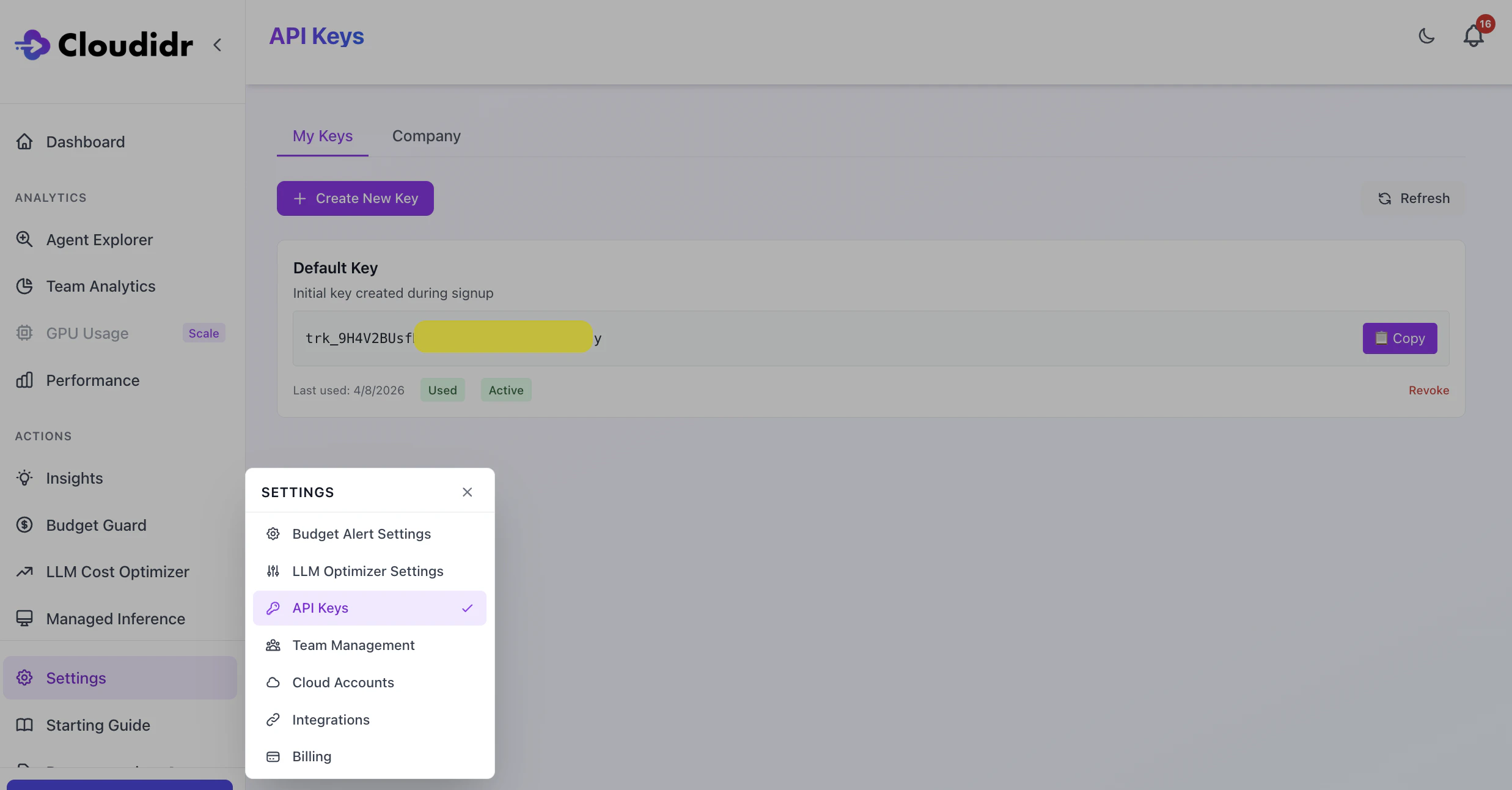
Screenshot 2026 04 10 At 21 54 14
  • A user can create and manage their own API keys under the My Keys tab
  • Owner can also see and revoke API Keys for their team members under the Company tab.
  • Cloudidr API Key starts with prefix trk_
Cloudidr API Key is required in the API calls with X-Cloudidr-Key
curl https://api.llm-ops.cloudidr.com/v1/chat/completions \
  -H "Authorization: Bearer your-openai-key" \
  -H "Content-Type: application/json" \
  -H "X-Cloudidr-Key: trk_9H4V2Bxxxxxxxxxxxxxx" \
  -H "X-Department: Engineering" \
  -H "X-Project: PoC-New" \
  -H "X-Agent: chatbot" \
  -d '{
    "model": "gpt-4",
    "messages": [{"role": "user", "content": "Hello!"}]
  }'