
Availability: Agent Traces is available on Growth, Scale, and Enterprise plans. Not available on Starter.
This is not a debugging tool. Cloudidr does not store prompts or completions. Traces answer one question: “Which step in my agent costs the most and what did Cloudidr do about it?” For prompt debugging and chain internals, use LangSmith or Braintrust alongside Cloudidr.
How to instrument
No SDK install required. Add two HTTP headers to every LLM call in your agent run.Headers
Both headers are optional. Requests without them continue to be logged in the Activity tab as before. They have no effect on routing or billing.
Python (OpenAI SDK)
Python (Anthropic SDK)
Using an existing session or conversation ID
You do not need to generate a new UUID. If your application already tracks asession_id, conversation_id, or request_id, pass it directly as X-Trace-Id. Any string works — Cloudidr groups all calls sharing the same value under one trace.
Traces list page
Navigate to Sidebar → Traces (under Analytics).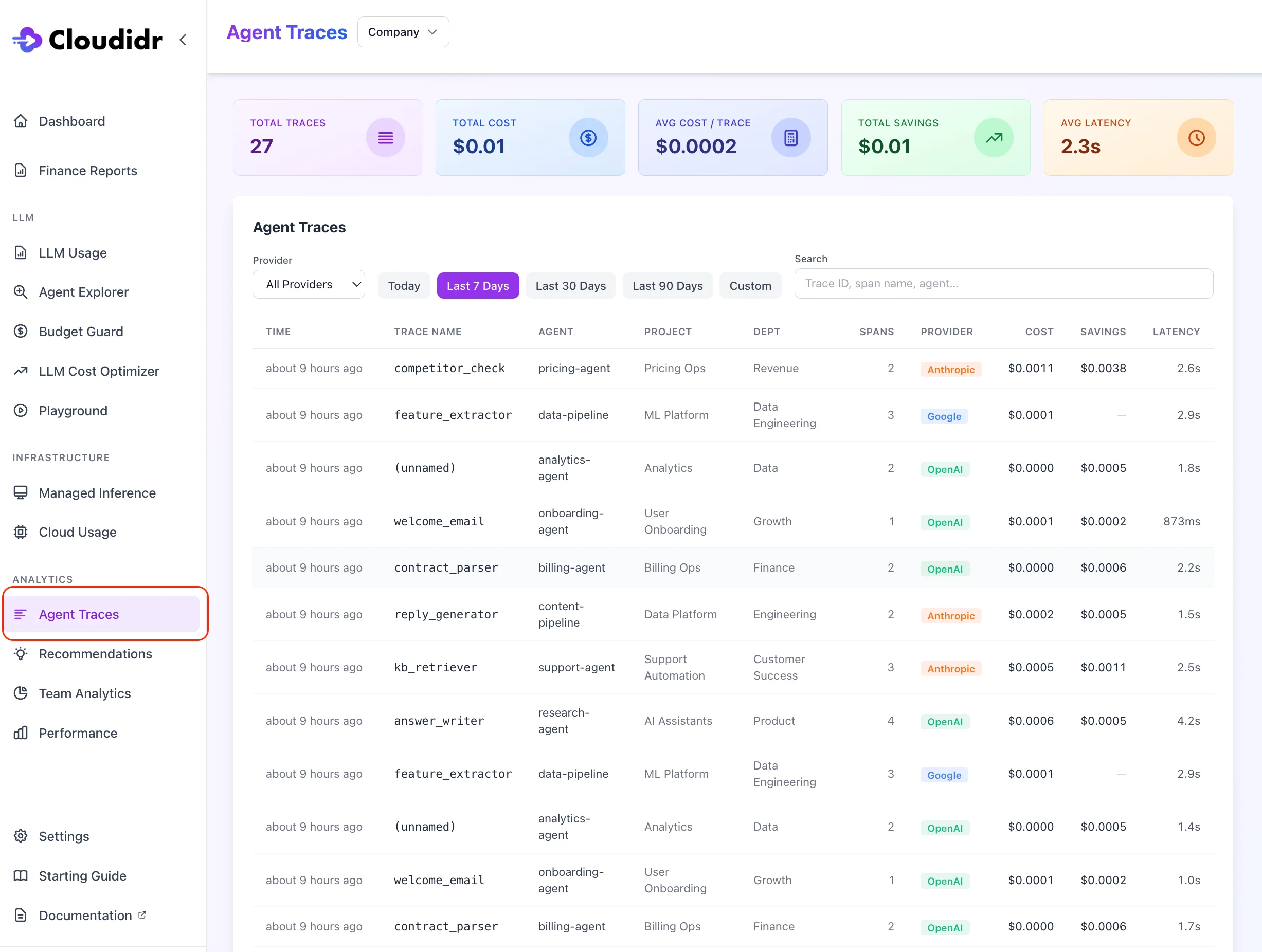
Summary cards
Four cards at the top respond to your active filters:Filters
Trace list table
Each row represents one agent run (one uniqueX-Trace-Id):
Click any row to open the Trace Detail view.
Load more — the list loads 20 traces at a time. Click Load more at the bottom to page through additional results.
Trace detail — waterfall view
Clicking a row opens the trace detail view, showing a waterfall chart of all spans in the order they were received by the proxy.Waterfall columns
Tool call rows
When an LLM call invokes a tool (web search, database lookup, function call), Cloudidr detects the tool invocation from the provider response and inserts a greyed-out row for each tool called, placed immediately after the LLM span that triggered it.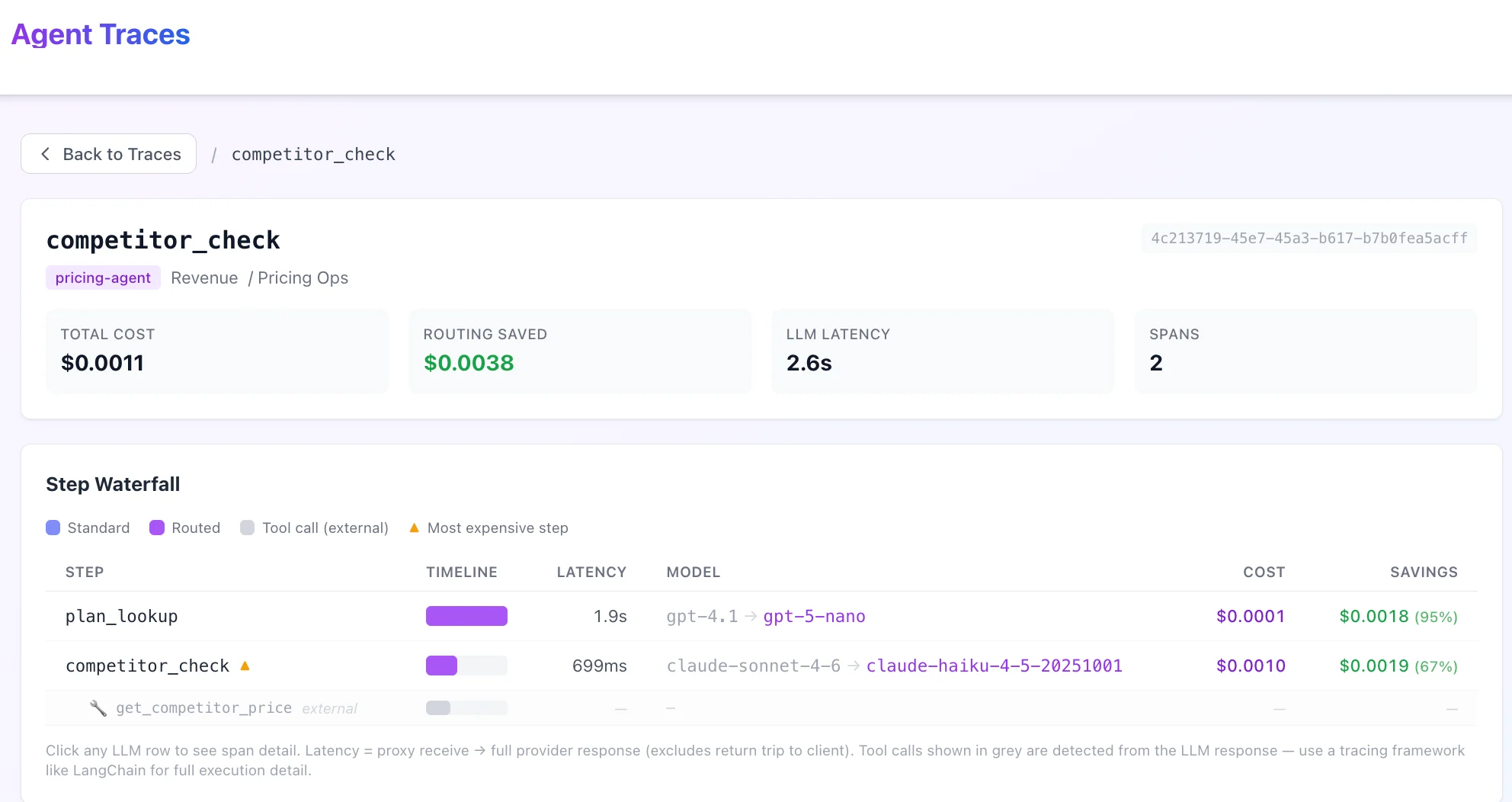
- The tool name (e.g.
web_search,get_weather,query_database) - A wrench icon to distinguish them from LLM spans
- Dashes for Cost and Latency — tool calls are detected from the provider response metadata; Cloudidr does not intercept the tool execution itself
Note: Tool call rows are proxy-detected from the LLM response. They show which tools the model invoked, not how long the tool took to execute. For full tool execution timing and input/output, use a dedicated tracing tool like LangSmith or Arize Phoenix alongside Cloudidr.
Span detail panel
Click any span row in the waterfall to open the span detail panel on the right side.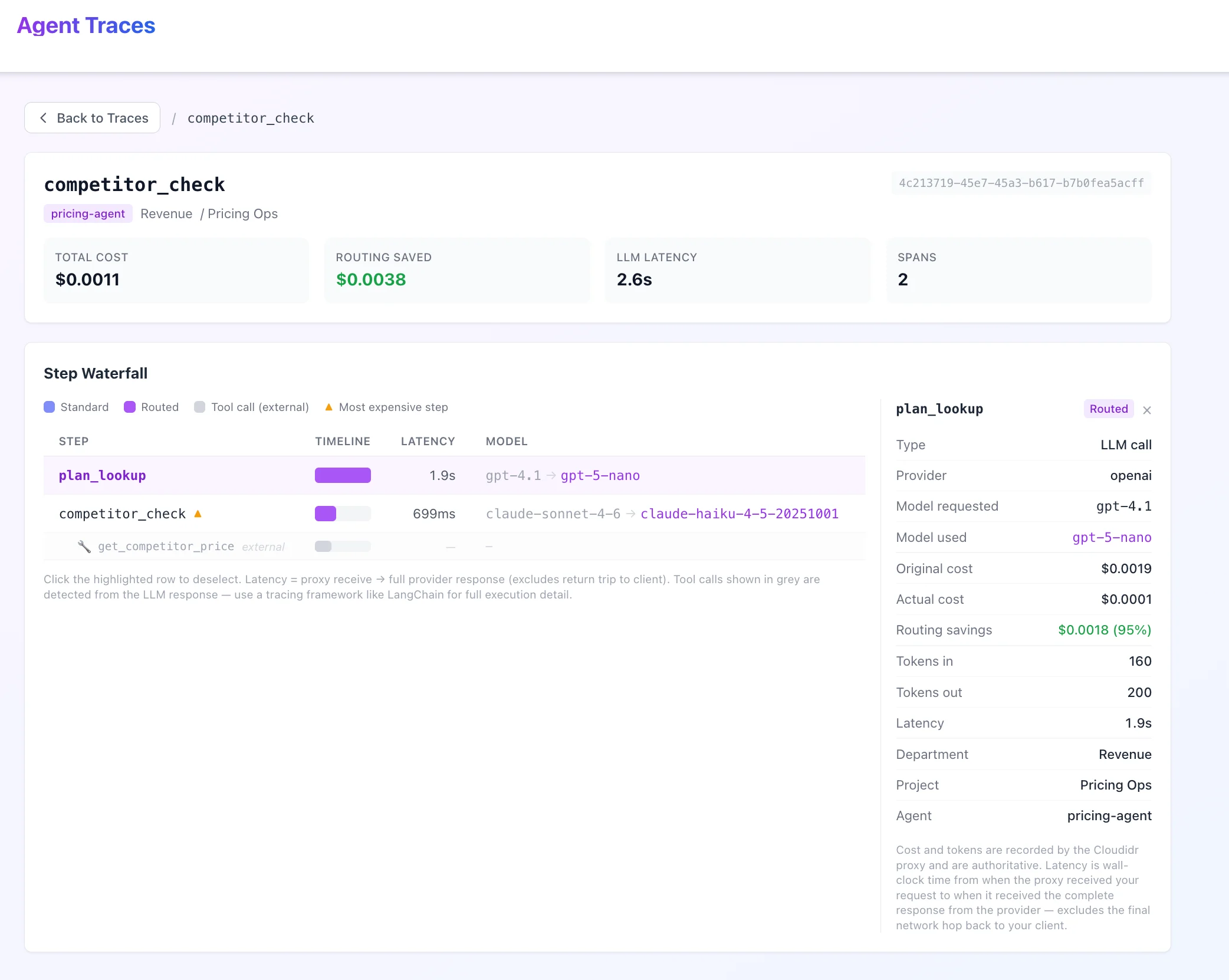
Panel contents
For LLM spans:
For tool call rows:
Tool rows show the tool name and its parent span name only. Cost, tokens, and latency are not available for tool calls (tool execution happens outside the proxy).
Access control
Latency definition
All latency values in Agent Traces are proxy-measured: the wall-clock time from when Cloudidr’s proxy received your request to when it received the complete response from the LLM provider. This excludes:- Time your application spent preparing the request before it reached the proxy
- The final network hop from the proxy back to your application
Common patterns
Identify which step costs the most
The most expensive span in each trace is marked with ⚡ in the Step column. Sort the trace list by Cost descending to find your most expensive agent runs, then click in to see which step is responsible.See where Cloudidr saved money
The Savings column in both the trace list and waterfall shows routing savings per run and per step. A non-zero savings value means Cloudidr detected that the original model was more expensive than needed for that prompt’s complexity and routed it to a cheaper equivalent.Track a specific agent workflow
Use the Search filter to enter a span name (e.g.summarizer) or agent name to narrow the list to a specific workflow. Use the Date range filter alongside it to scope to a specific deployment window.
Use your existing session ID as trace ID
If your application already generates a session, conversation, or request ID, pass it asX-Trace-Id. You get traces with zero additional ID management — just reuse what you already have.C