
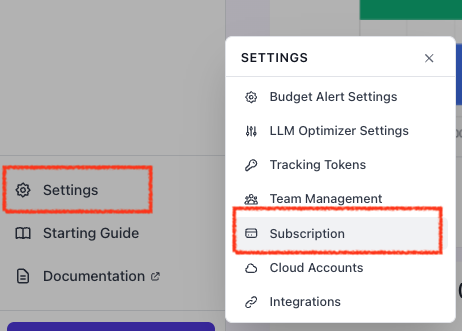
- In the left side panel, go to Settings and select Subscription
-
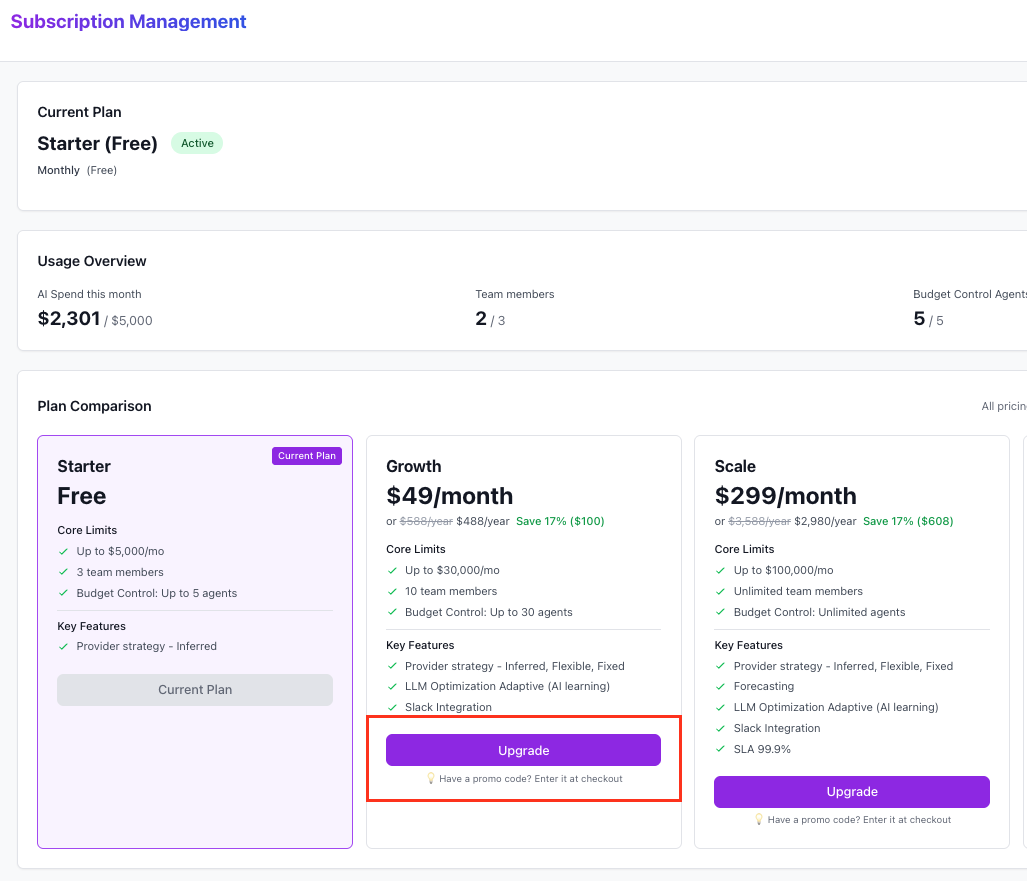
Select the desired plan like “Growth” and click Upgrade
-
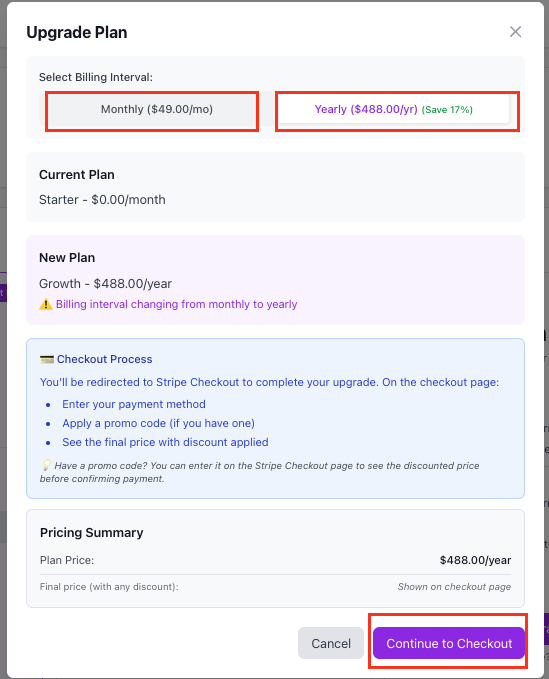
Select between Monthly or Yearly payment tab. It will update the pricing amount due and then click **Continue to Checkout. **
NOTE: If you hava promotion code, you will select YEARLY and then enter the promotion code in the next step before final checkout,
-
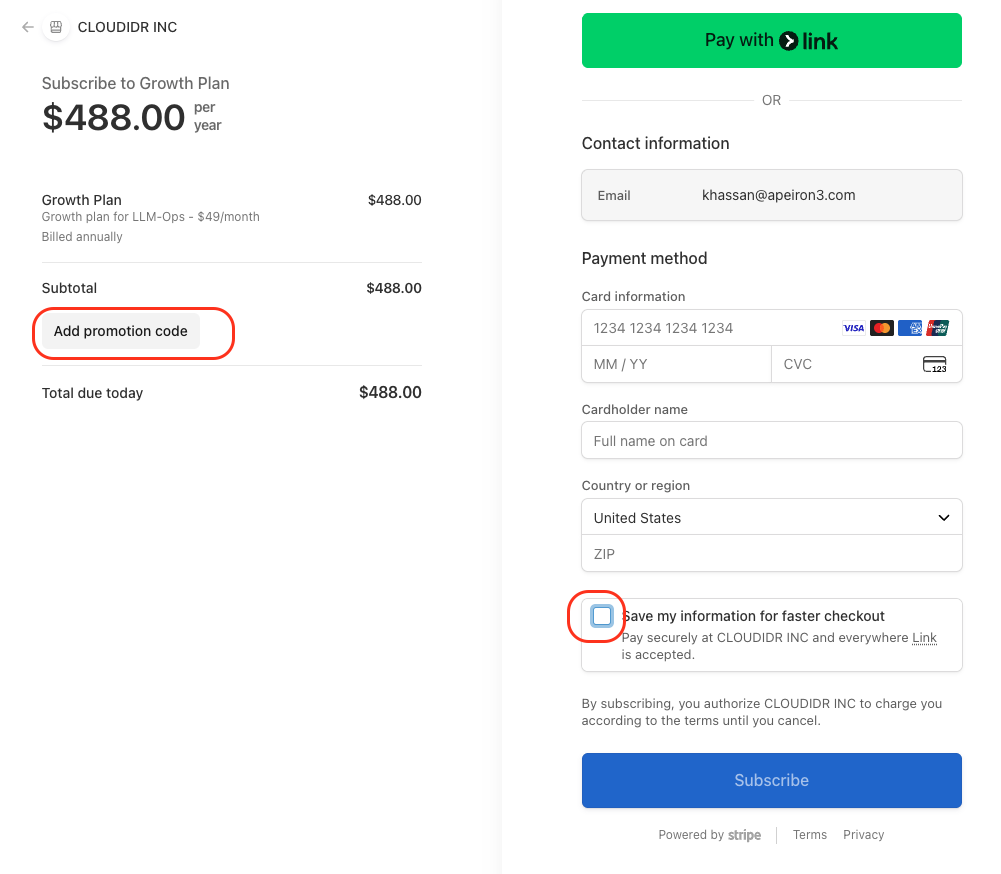
[OPTIONAL] EnterPromotion code if you have one
-
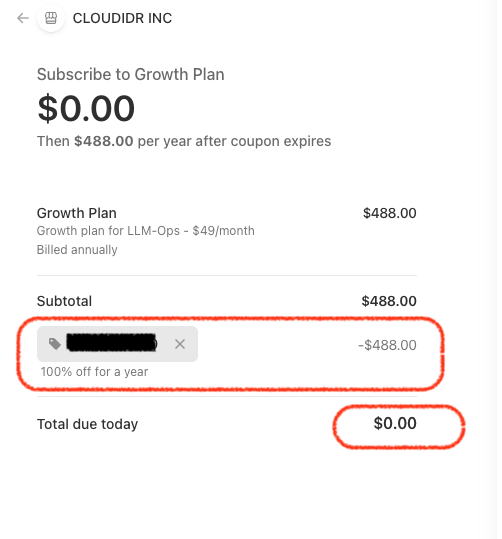
After entering promotion code, the Total due will be shown.
-
After entering promotion code, the Total due will be shown.
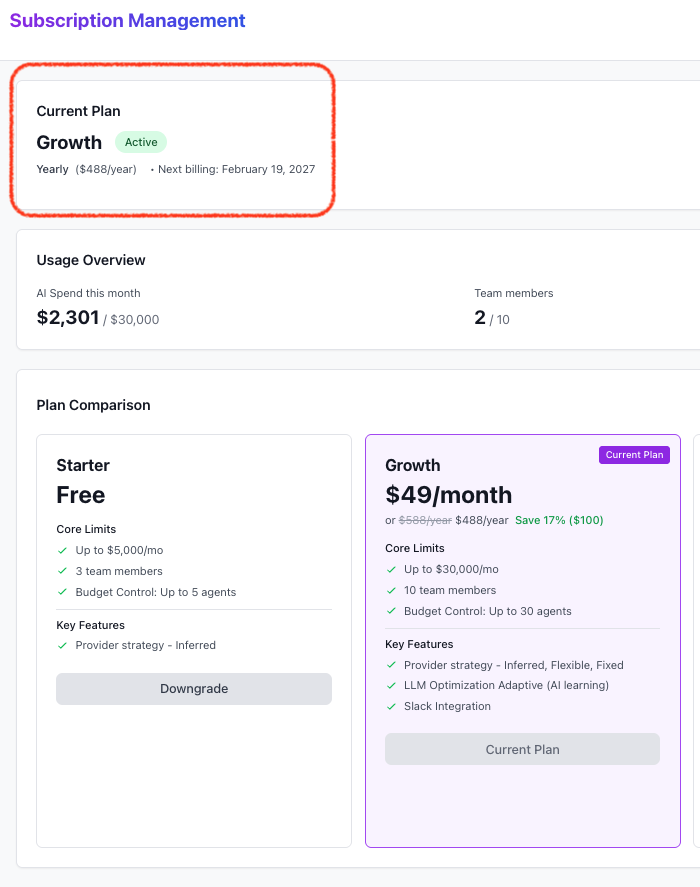
- Enter credit card. You can uncheck the **Save my information **if you so desire. You will need to enter the credit card information (as this is required by our payment processor Stripe). After this it will take you to the subscription management page, where you can see your updated plan.